Nokia Event Driven Automation (EDA)#
Nokia Event Driven Automation (EDA) is the state-of-the-art automation platform that completes Nokia's Data Center portfolio:
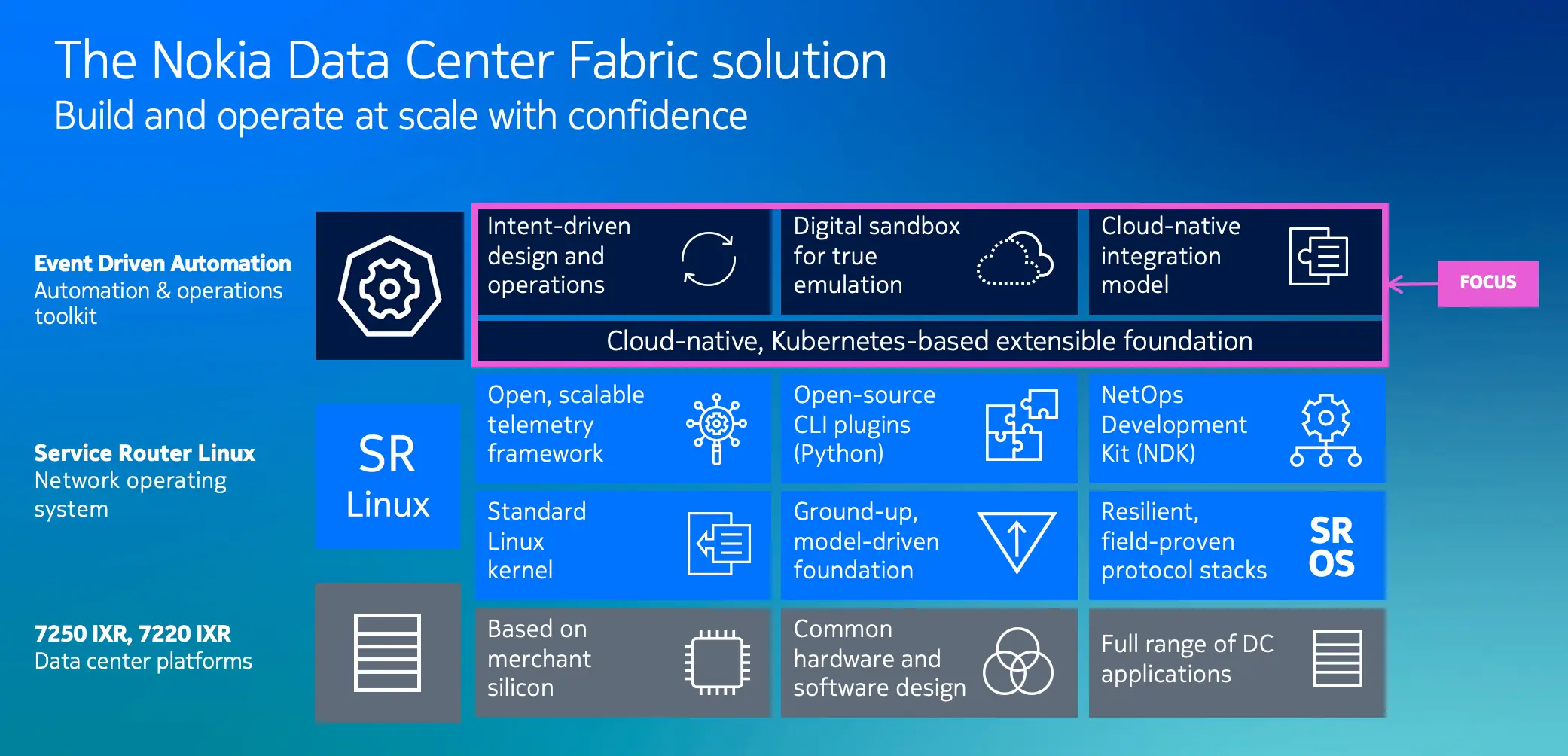
In the configuration management domain EDA breaks the status quo of imperative, box-by-box, screen-scraping-dominant configuration process and leverages a declarative and abstracted configuration model. In this model a user declares what services or components they want to get deployed by providing their desired state in the form of an input that abstracts the vendor-specific complexities and implementation details.
Using this approach EDA takes care of all the low-level details of how to translate the abstracted intent into device-specific configurations and how to concurrently and reliably orchestrate the deployment across the network devices to ensure a smooth and reliable rollout.
EDA's configuration engine is built for performance and safety, being able to validate changes before deployment and to automatically roll them back across the whole network in case of node-level failures.
The state of the art configuration management is not the only variable in the infrastructure automation equation. Being able to accurately track and manage the state of the infrastructure deployed with automation is often more important and challenging.
To address the divide between the configuration management and observability/monitoring tools, EDA also takes care of the state handling for every abstracted configuration intent it deployed.
For example, a network-wide service like L3VPN that spans multiple network elements will have its overall aggregate state reliably tracked in real time by EDA and reported back to the user as state information associated with the original intent.
Having the state of the system aligned with the configuration inputs is crucial for reliable and consistent operations since the complex task of correlating the state of the individual low-level metrics to the network-wide service parameters is lifted from the operations teams and handled automatically by EDA.
For operations teams EDA provides a set of operational dashboards that reflect the real-time state of the configured services and components. The dashboards are driven by EDA's State Engine and its ability to provide the real-time aggregated state and metrics for the abstracted configuration intents. The dashboard designer allows users to create custom dashboards that fit their operational needs.
In addition to the dashboards, EDA offers an instant, network-wide view of the running configuration and state via its EDA Query Language (EQL). A query that runs over your whole network and provides instant and live results is an extremely powerful tool for auditing, troubleshooting and state correlation.
While the concepts of declarative and abstracted configuration management are not new, in EDA we made sure our users can extend and program almost every aspect of the platform. Don't agree with how we modeled DC fabric inputs? You have all the instruments to change it or even create your own implementation of it.
Besides the ability to develop custom applications for EDA platform, we also provide a rich set of API and CLI interfaces to interact with the platform programmatically or via command line. Ranging from REST APIs covering all EDA functionalities to integrations with popular DevOps tools like Ansible and Terraform, EDA is built to fit in your existing toolchain.
And it would be a miss to keep EDA anchored to Nokia-only devices, that is why we ensured that EDA core is multivendor and users can leverage EDA superpowers even with other 3rd party devices1.
At this SReXperts event, you get a unique chance to spend a day with Nokia EDA by venturing into the exercises meticulously crafted by the EDA team and be the judge of its capabilities.
1. How to get through the exercises?#
As EDA is likely a new system for you, we recommend you start from the beginner-level exercises in the order they are presented, unless you feel adventurous and want to hit the ground running.
When inside a particular exercise, you should complete the tasks in the order they are presented. It might be tempting to skip ahead but a task may have a dependency on the previous step, so do tackle them in order.
2. Access details#
The lab environment you work on features a DC network topology with EDA already installed and a number of SR Linux datacenter switches already onboarded onto the platform. In particular, EDA manages five switches in total: leaf11, leaf12, leaf13, spine11, spine12.
As you go through the exercise, you might connect to the EDA UI, one of the switches or clients connected to them.
Most of the exercises can be completed by using EDA Web UI. The UI is accessible over https://{your-group-id}.srexperts.net:9443.
The login credentials are available in the leaflet provided to you.
The lab server runs the EDA platform and the whole lab topology. You will need to login to the topology server when you want to SSH further into one of the switches or clients.
You will find the server credentials in the leaflet provided to you.
While you will mostly work with EDA UI, you would want to SSH into the switches to verify the configuration you made in EDA. To access the switches you first need to login to the lab server, and then from the server's shell you SSH further to the desired switch.
The switch hostnames are:
clab-srexperts-leaf11clab-srexperts-leaf12clab-srexperts-leaf13clab-srexperts-spine11clab-srexperts-spine12
You will find the switch credentials in the leaflet provided to you.
Clients are the Linux containers connected to the switches that you would need to configure to perform end-to-end ping tests between the hosts.
To access the clients you first need to login to the lab server, and then from the server's shell you SSH further to the desired client.
The client hostnames are:
clab-srexperts-client11clab-srexperts-client12clab-srexperts-client13
The client's credentials are admin:multit00l
3. EDA UI#
When going through the exercises, you will be using a healthy mix of various EDA interfaces, including EDA UI, CLI, and API interfaces.
Like any modern platform, EDA's UI is an API client of the backend API server and uses the same endpoints as any automation system would use, which means that technically every exercise can be solved using any automation interface that consumes EDA API.
Quite a few exercises can be completed using the UI and chances are high that this will be your first time seeing and using it. Check out the EDA UI section of the official documentation to get familiar with the UI and its capabilities.
4. Reset EDA#
As you go through the exercises, you will create and modify quite a few resources in EDA. It might happen that the resources from one unfinished challenge will interfere with the tasks you attempt next.
In such cases you can manually delete conflicting resources, but if you want to reset EDA to a state as it was at the beginning of the event, you can easily do this by running the following command from the lab server:
This script will immediately revert all changes that happened in EDA since you first logged in so you can start fresh.
5. Where to next?#
After this brief introduction you are ready to start exploring the next generation of network automation by either choosing one of the exercises from the left sidebar or venturing into self-paced exploration.
If you are just getting started with EDA and want to learn the basics of EDA concepts, instead of diving into the automation-focused exercises - check out the official Tour of EDA for beginners.
You can complete any EDA exercise even when the event has ended!
Don't worry if you ran out of time while completing the activities during the SReXperts Hackathon, this site will remain online and you can deploy Nokia EDA for free on any compute you have available anytime you need.
See Try EDA for more information.
-
Pending vendors' maturity of YANG models and modern management interfaces. ↩